
The most common issue with customers is getting access the files after purchasing the Optimizer. This guide shows you what to expect and how to seamlessly access your files.
Etsy has some good articles on this subject. See below:
The below guide provides additional details specific to the Roth IRA Conversion Optimizer.
The two most common causes of download issues are as follows:
- People who sign in as a guest and don’t create an Etsy account. You can purchase digital files as a guest, but if you don’t download from the order screen or the email gets blocked by a spam filter, you may have trouble getting back to the downloads page. Purchased files are always available in the Purchases section for users who have set up an Etsy account.
- People who purchase from a mobile app instead of a web browser. You can purchase and download from your phone, but this is not recommended. This is an Excel application for Mac or Windows. It’s best to purchase the Optimizer from a web browser on the PC or Mac where you’re planning to run the application.
After purchase, you will see the Order Confirmation screen below. On this screen, click the “Show download” button or the “Show order details” button. Either one will give you access to the download links.

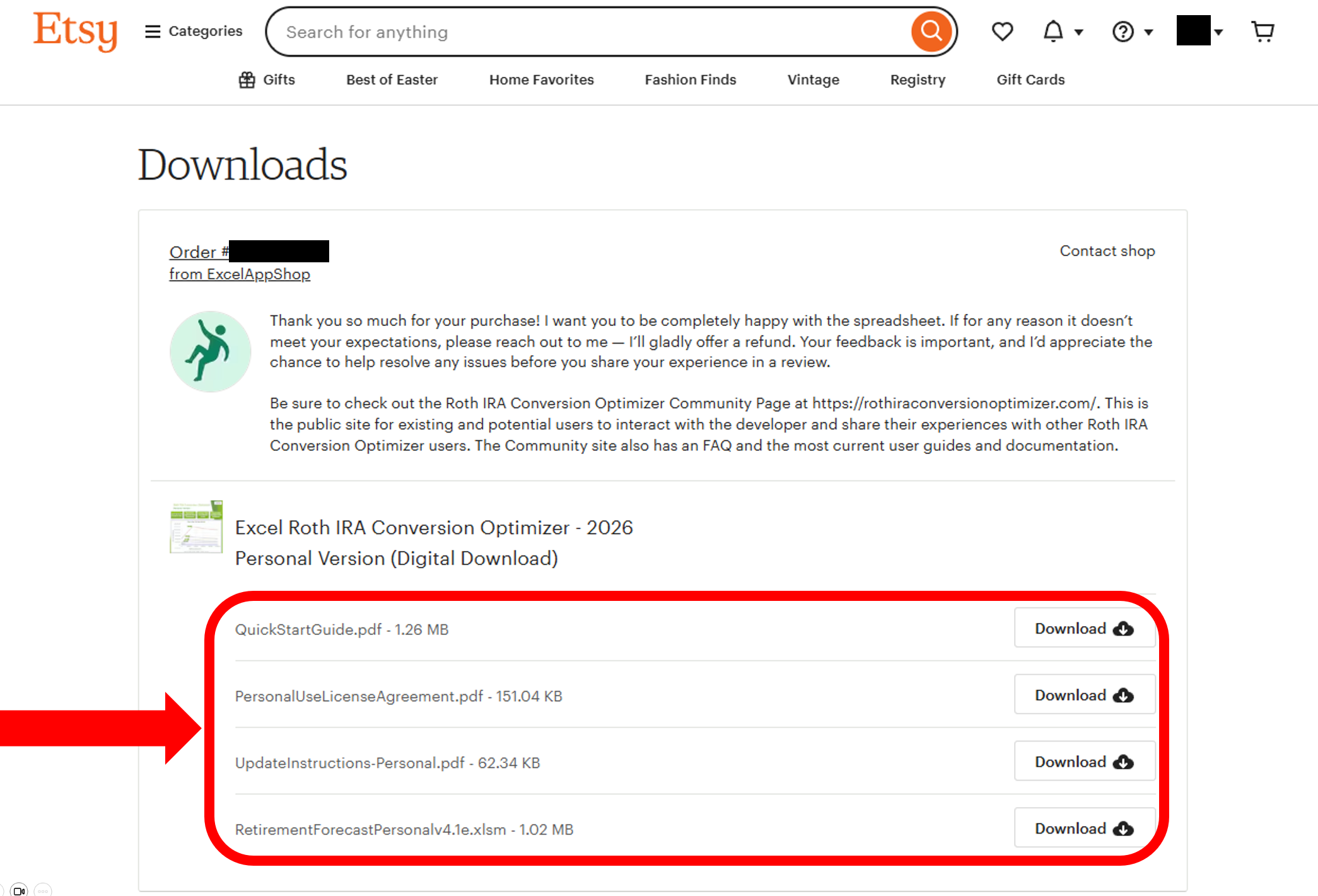
Below is the Downloads page. The four downloadable files are shown in the red circle. Click the download buttons on the right.
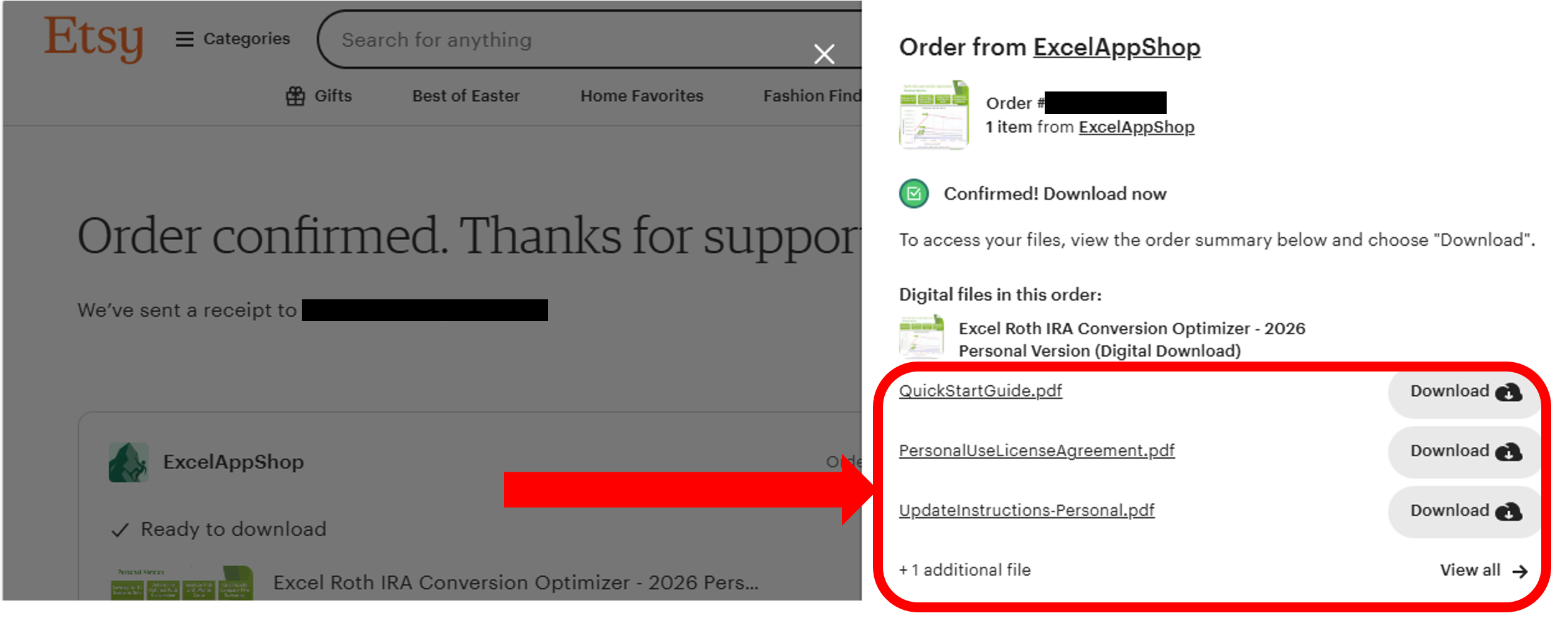
Below is the Order Details Page. On this page, the downloads are shown in the tab that appears on the right. After clicking the “View All” button, you can download all four files by clicking the associated download buttons.
It’s best to download the files right from the Order Confirmation screen, but if you accidentally closed that screen, you can get back to that screen from the Purchase email. By clicking the “View your files on Etsy” button in the email, it will take you back to the Download page. If you don’t see the email in your inbox, check your spam filter.

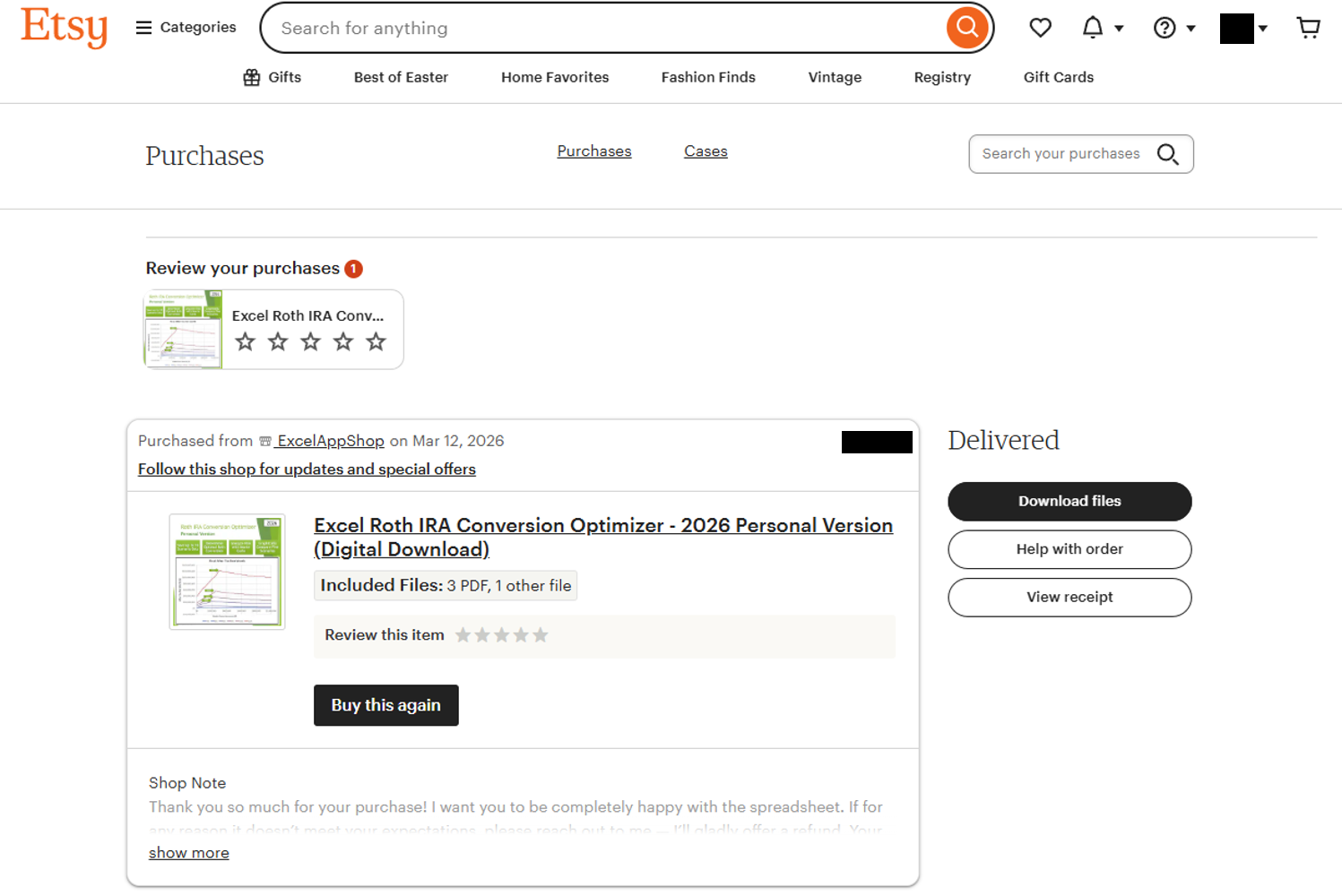
The last resort is to go to the Purchases section of your account. Log in to the Etsy web page and then click your Avatar to see the “Purchases and Reviews” link. The files are always accessible here. Note: if you purchased as a Etsy guest, this may not be an option.
If none of this works, don’t hesitate to reach out to me (the Etsy shop owner) or Etsy for help. Etsy’s messaging system provides easy access to both of us and is the best way to reach us.