
General Topics
A common rule of thumb with Roth conversions is to convert just enough each year to “fill up” your current tax bracket without spilling into a higher one. This is better than doing nothing, but is rarely optimal. This strategy can leave a a lot of money on the table–potentially millions of $’s over a lifetime.
The optimal conversion amount is highly dependent on factors like the rate of return, the size of your IRA, and the amount of savings you have in taxable accounts to pay for conversion taxes. None of these factors are considered in the fill-up your bracket approach.
The complexities of these factors along with interest rates, inflation, RMDs, IRMAA, NIIT, Social Security payments, Federal taxes and State taxes make it impossible to have a one-size-fits-all approach. This tool takes all of those factors into account. It will clearly show the impact to your net worth over time and help you determine exactly what the optimal strategy is.
Maintenance Topics
Yes! The original version only supported Windows Excel, but on Dec 21, 2025, version 3.3 was released with full support for Mac Excel.
Only the latest version of Excel for Windows and Excel for Mac (Microsoft 365) is supported. This spreadsheet is a VBA application that runs on Excel. It relies on capabilities that are only in the latest version of Excel. Unfortunately, older versions and online versions of Excel do not have the necessary capabilities. It will not run on Google Sheets, Apple Numbers, LibreOffice or any other spreadsheet programs. Please make sure you have the latest version of Excel (Microsoft 365) for Windows or Mac before purchasing to ensure full compatibility.
Microsoft does offer a one-month free trial for Microsoft 365 and a month-to-month option. Many users have taken advantage of these options to run the Roth IRA Conversion Optimizer application and then cancel their Microsoft subscription. A month is more than enough time to create your projections and create a Roth conversion strategy.
All registered customers get free updates throughout the calendar year. Etsy doesn’t have a mechanism for delivering updates, so you will get a link to the revision folder as one of the downloadable deliverables. Registered customers are also welcome to reach out to the shop owner through Etsy messaging.
Similar to tax software, each year, a new version is created to accommodate changes to the State and Federal tax brackets and other laws as appropriate (NIIT, IRMAA, etc.). As a result, a new version needs to be purchased each year in order to get the updated tax calculations. Any updates within a calendar year continue to be free.
Users are welcome to continue using versions from previous tax years. They should continue to work, but will use inflation-adjusted brackets instead of actual. Doing this is at the users own risk. Support for versions from previous years ends after the newer year versions are released.
All versions after v3.0f (2025) have an Import button on the Control Panel that allows you to import Scenario Sets from previous versions.
The Commercial versions also have an export feature which allows advisors to export the saved Scenario Sets to a separate file for their clients.
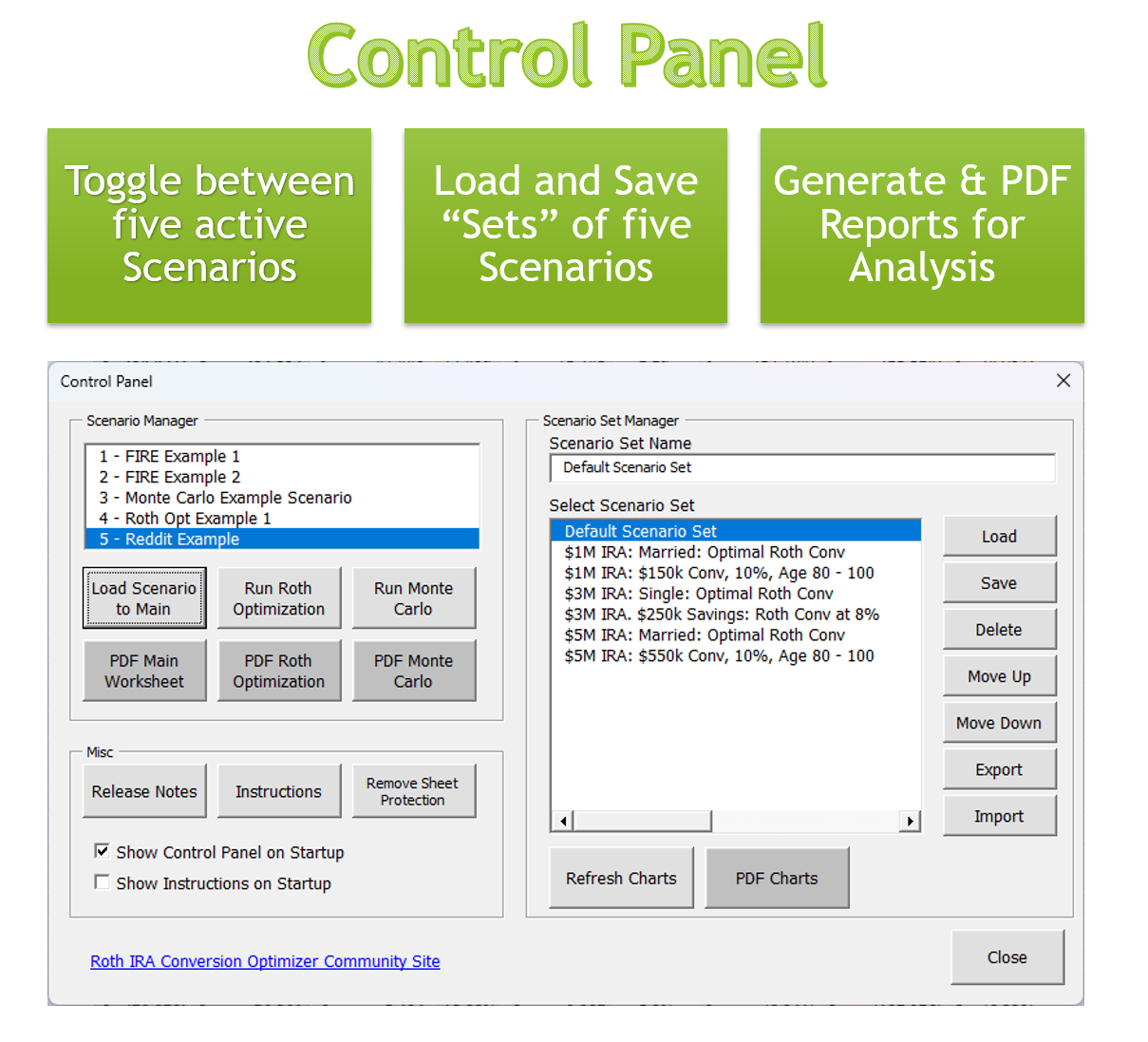
A Scenario Set is simply a collection of five Scenarios. The Main worksheet, Roth Conversion Optimizer worksheet and the Monte Carlo worksheet can each display one scenario at a time. The Charts worksheet, on the other hand, will graphically display all five scenarios from the active scenario set at the same time.


The spreadsheet is locked to prevent the users from accidentally editing critical formulas and breaking the application. Even though the spreadsheet is locked, all the cells that require user input are editable. There is no need to unlock the spreadsheet to run any of the control panel functions.
Advanced users may still want to unlock the sheet to better understand the formulas or to make customizations. They can do this by clicking the “Remove Sheet Protection” button on the Control Panel. Users who make customizations do so at their own risk. No support is provided for customized sheets.
Modelling Topics
1. Ending Age set too high
Setting the ending age to 95–100+ gives the Roth balance decades to compound tax‑free. With such a long horizon, paying taxes early becomes relatively cheap, so the Optimizer often recommends larger conversions. This is normal — long compounding windows strongly favor Roth.
2. Investment return assumptions unrealistic
Return assumptions directly affect how valuable Roth dollars become:
- High returns → Roth grows faster → conversions look more attractive
- Low returns → Roth grows slowly → conversions look less attractive
If returns are set far above or below realistic expectations, the recommendations may feel unexpected.
3. Paying conversion taxes from Savings
If you have significant Savings (non‑retirement assets), the Optimizer assumes you can pay Roth conversion taxes from Savings instead of from the converted IRA dollars. This has a major impact:
- Every dollar converted stays in the Roth
- No Roth dollars are “lost” to taxes
- Early conversions become dramatically more valuable
This is one of the strongest drivers of large conversion recommendations.
4. Tax bracket inflation rate misaligned
By default, the Optimizer uses:
- 3% inflation for general expenses and income
- 2% inflation for both federal and state tax brackets
Because brackets grow slower than income and expenses, future taxes tend to be slightly higher in real terms. This makes earlier conversions more attractive, especially over long forecast periods.
Summary
Small changes to ending age, return assumptions, and bracket inflation can meaningfully shift the optimal conversion strategy. Running multiple scenarios with different values is the best way to understand how sensitive your plan is to these assumptions.
Runtime errors are almost always caused by an incompatible version of Excel. Only the latest version of Excel for Windows and Excel for Mac (Microsoft 365) is supported.
Microsoft does offer a one-month free trial for Microsoft 365 and a month-to-month option. Many users have taken advantage of these options to run the Roth IRA Conversion Optimizer application and then cancel their Microsoft subscription. A month is more than enough time to create your projections and create a Roth conversion strategy.
This is caused by the Excel table auto-fill feature. If you replace the formulas with static values, be sure to clear all the formulas from the column first; otherwise, Excel’s auto-fill will restore the original formulas and overwrite your entries. If you modify the formulas instead, make sure to fill or copy the updated formula down the entire column so every row uses the new logic.
This is entered in the Settings worksheet. See the Hidden Worksheets blog post for more details.
See blog comment for detailed response.
There are two reasons this could happen.
First, Roth Conversions won’t occur until the year you enter as your “Roth Conv Start Year”.
Second, Roth Conversions won’t occur unless the “Income Target” is larger than all your other sources of income. Other sources of income are the following: Fixed Income, RMDs, Social Security, 72t, the Income column and IRA withdrawals (to cover remaining expenses). The difference between all of these items and the “Income Target” is what your “Roth Conv” will be. Note: Income target is adjusted for inflation so the number will increase accordingly each year.
Long-term Capital Gains (LTCG) have their own tax bracket (0%, 15%, 20%). The bracket is dependent on the filer status and is adjusted for inflation. Similarly, the Net Investment Income Tax (NIIT) is also calculated which adds an additional 3.8% for investment income that passes certain thresholds.
See the LTCG Post for more information.
The blue “One Time Expense” column (column X) on the Main worksheet can be used to add one-time expenses such as house or automobile purchases, large donations or gifts, and education expenses. Expenses should be added to the spreadsheet as a negative number. Column X can also be used to add non-taxable increases to your savings such as a large received gift or inheritance. In this case, you’d want to enter it as a positive number. Taxable income should not be entered here, it should be entered in the blue “Income” column (column N).

The blue “Income” column (column P) on the Main worksheet is a placeholder for all other sources of taxable income. For the years you are still working, you should put your gross income from your job in this column. Once you retire this should be zero. Anything you put in this column will be added both to your taxable income and to your savings.
Think of the “Income Target” as the goal of the spreadsheet. It’s what you’re solving for. It’s the income level that will give you the maximum net worth at the end. You use the Roth Optimizer function to determine this amount. Once you know this optimal “Income Target”, you can easily calculate the optimal Roth conversion, which is simply the amount that gets you to that optimal income target. The spreadsheet does this calculation for you and displays it in column L on the Main worksheet.

For your first pass, you can set Income Target to zero and run the Roth Optimizer. The optimizer will test every Income Target between zero and $1M and show you the net worth for each one. Then, take the Income Target that gives you the highest net worth, put that value in the Scenario and reload the scenario to the Main worksheet. Now you’ll be looking at the optimal scenario.
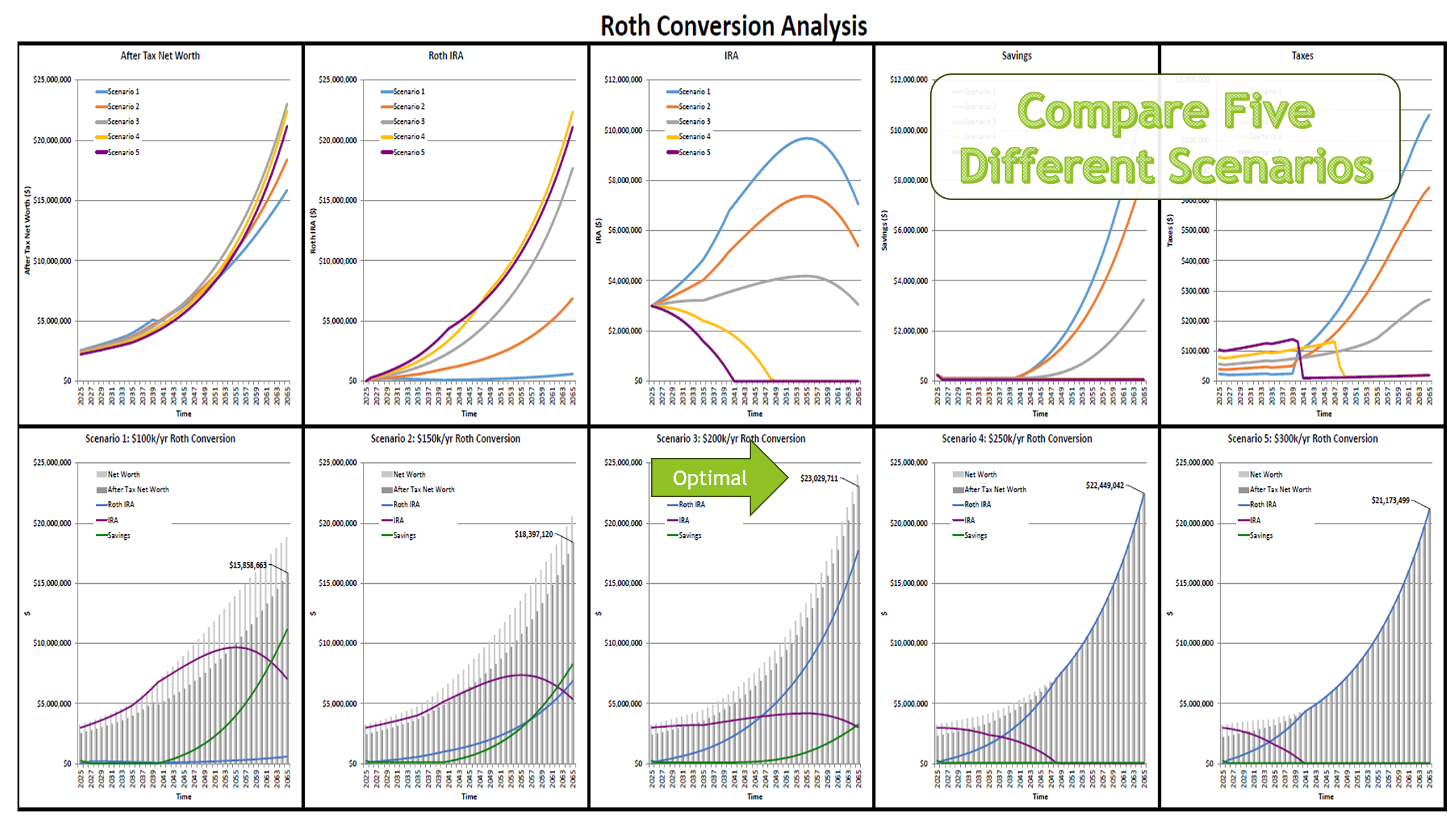
The optimal amount is dependent on the expected return. So, you may want to create different scenarios for the different rates of return. This is a good use of Scenario Sets and the Charts worksheet which allows you to compare five different scenarios graphically.
Partner Program
The Advisor Partner Program connects Personal users with trusted financial professionals who are experienced users of the Roth IRA Conversion Optimizer. Advisors in this program hold a valid Commercial or Extended Commercial license, which allows them to use the tool in a client‑facing capacity.
Advisors must purchase a Commercial or Extended Commercial license and opt in to be listed. This ensures that all listed professionals are familiar with the tool and qualified to support users exploring Roth conversion strategies.
Yes. Advisor Partners may submit educational articles for publication on the Roth IRA Conversion Optimizer Blog. Submitted articles must be educational, accurate, and non‑promotional. All content is reviewed for clarity, quality, and compliance before publication. Approved articles include a standardized advisor profile box featuring the advisor’s name, firm, location, and a link to their Advisor Partner listing.
Advisors simply purchase a Commercial or Extended Commercial license and opt in to be included in the directory. No additional application is required at this time.
Articles must be educational and relevant to retirement planning, tax strategy, Roth conversions, or related financial topics. Content cannot include sales pitches, performance claims, testimonials, or promotional language.
No. Advisors submit drafts for editorial review. This ensures consistent formatting, compliance, and quality across all published content.
There is no separate fee for the program. Eligibility is included with the purchase of a Commercial or Extended Commercial license.
The program is scheduled to launch in 2026. Additional details will be added as the program develops.