
Version 3.2 is now available with a significant change to the way taxes are calculated for non-retirement savings. The earnings on Savings are now broken into two buckets: Fixed Income and LTCG (Long-Term Capital Gains). The Fixed Income bucket has its own growth rate, and it will be taxed along with the other taxable income. The LTCG bucket will continue to use “Savings Return” for the growth rate but will now be taxed using the new capital gains tax calculator.
The new capital gains calculator supports all three brackets (0%, 15% and 20%) for all three filing statuses (Single, HOH, MFJ). Additionally, a new NIIT calculator and column has been added so people can easily see when their investment income has triggered the additional 3.8% NIIT. Both calculators adjust the brackets for inflation like the State and Federal Tax calculators.
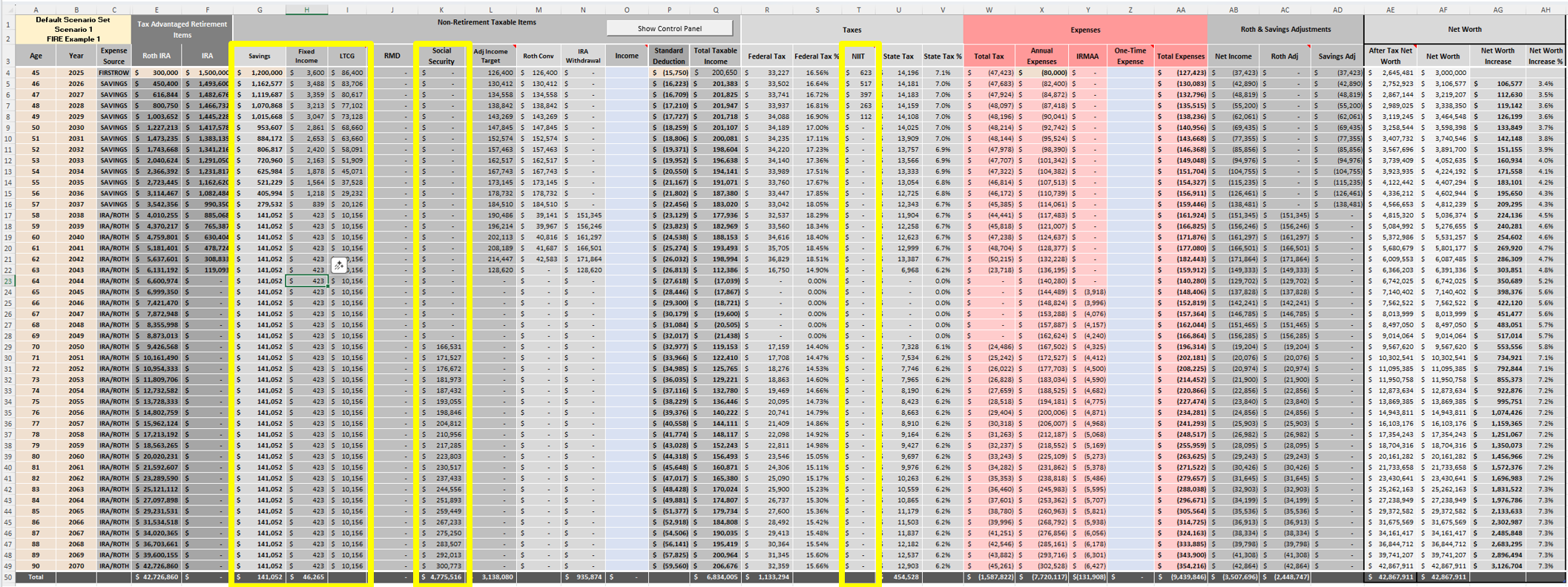
To keep the model simple and easy to use, all LTCG taxes occur in the same year as they are received. Although, in reality, you will have to wait at least a year before selling to qualify for LTCG. Also, it may make sense to defer paying capital gains as long as possible. Consult with a financial advisor about what makes the most sense for you. Since LTCG tax is counted after income tax, the timing of the LTCG should have minimal impact on the Roth Optimization function.
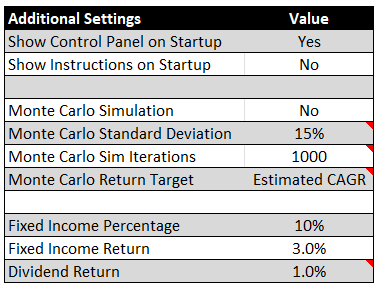
There are two new settings in the “Additional Settings” section (cells I12 to J13 on the Scenario Sets worksheet). The first is a “Fixed Income Percentage” setting that sets how much of your Savings column is Fixed Income versus equities. The second is a “Fixed Income Return” setting which sets the return on the Fixed Income portion.
At the state level, the LTCG bucket will continue to be taxed as ordinary income. If you are in one of the 8 states that has a special bracket for LTCG, be aware that the tool will show slightly more state tax. As a reminder, this tool is not tax software. Its tax models are designed for long-term modeling purposes and do not consider all the subtleties around deductions, credits, exemptions, adjustments, and state/local rules in any given year. Additionally, the brackets for future years are adjusted for inflation based on the 2025 values. This can be adjusted via the “Tax Bracket Inflation Rate” setting, but there is no way of knowing what the future brackets will look like. It could be significantly different.
Lastly, the Social Security benefit calculation has also been changed. Now, instead of users calculating the amount of the benefit in the year their benefit starts, they can put the benefit into the tool in 2025 dollars, and the tool will automatically calculate the future value of that benefit for you.