
Great news — the Excel Roth IRA Conversion Optimizer is now fully compatible with Excel for Mac (Microsoft 365), with the same full feature set as the Windows version.
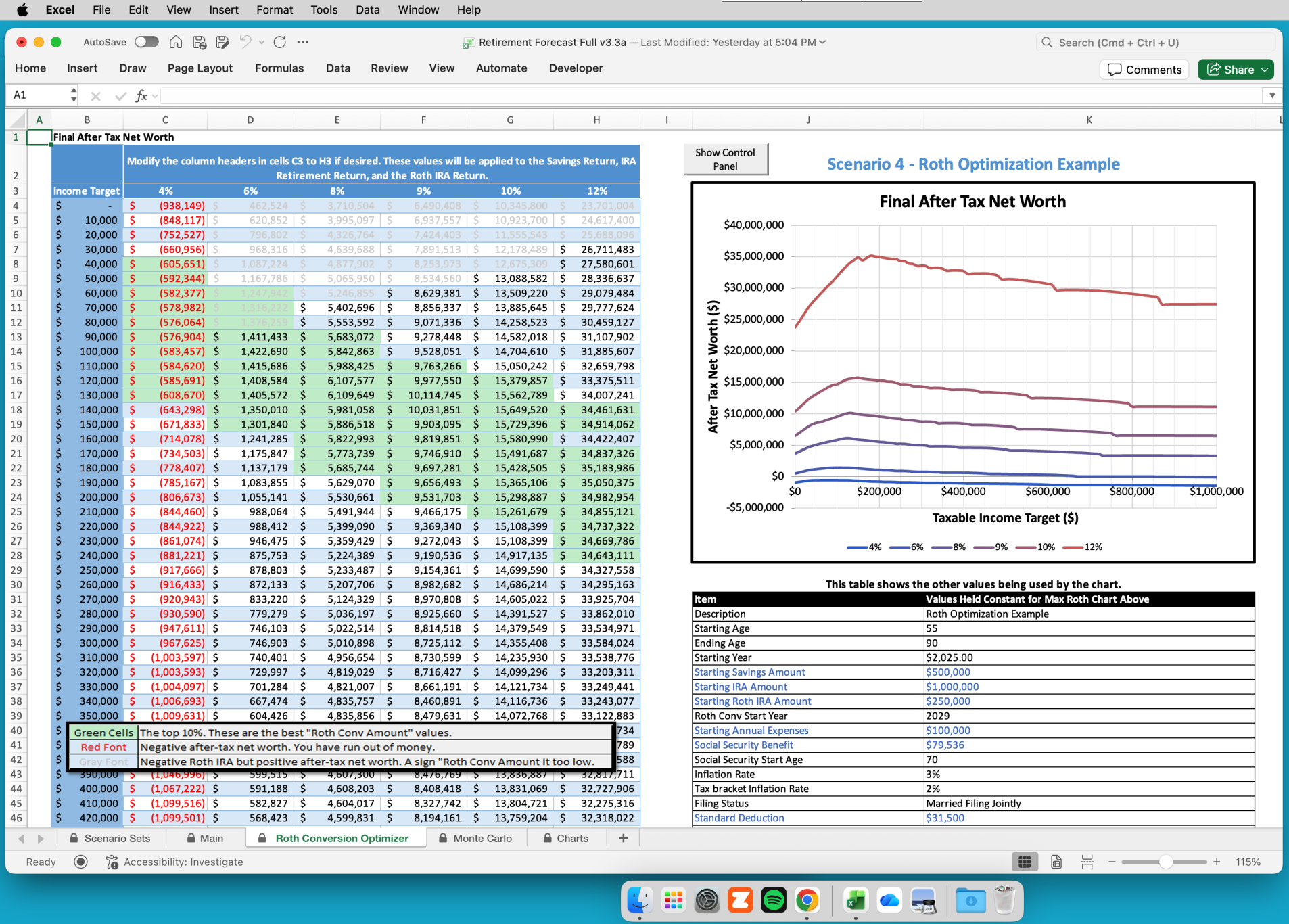
The Optimizer gives you a powerful, flexible way to analyze your retirement strategy directly in Excel:
- View your optimal Roth conversion amount in a single chart
- Run a Monte Carlo analysis to understand market risk
- Compare five different retirement scenarios at once
- Save unlimited Scenario Sets for future reference
- Export all reports to PDF for easy review or printing
This tool eliminates the constant re‑entry of data that plagues most retirement calculators. Instead, you build a set of five scenarios, compare them visually, save them, and repeat as many times as you like — now on both Mac and Windows.
If you’ve been waiting for a Mac‑ready release, it’s here.
Technical Requirements & Compatibility
To ensure you have the best experience, please note the following system requirements:
- Software: Requires the latest version of Microsoft Excel for Windows or Mac (Microsoft 365).
- VBA Macros: As this is a VBA-powered application, macros must be enabled to run the calculations and scenario comparisons.
- Unsupported Platforms: This tool is not compatible with Google Sheets, Apple Numbers, or web-based versions of Excel.